Pin Tabs In Your boberdoo System!
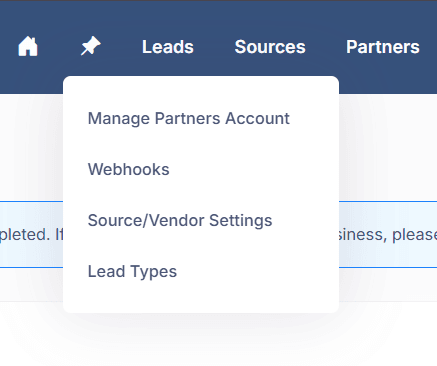
In the new boberdoo 6.0 update, you are now able to pin tabs and access them in your pin menu. Doing this allows you to visit frequently used pages much faster!
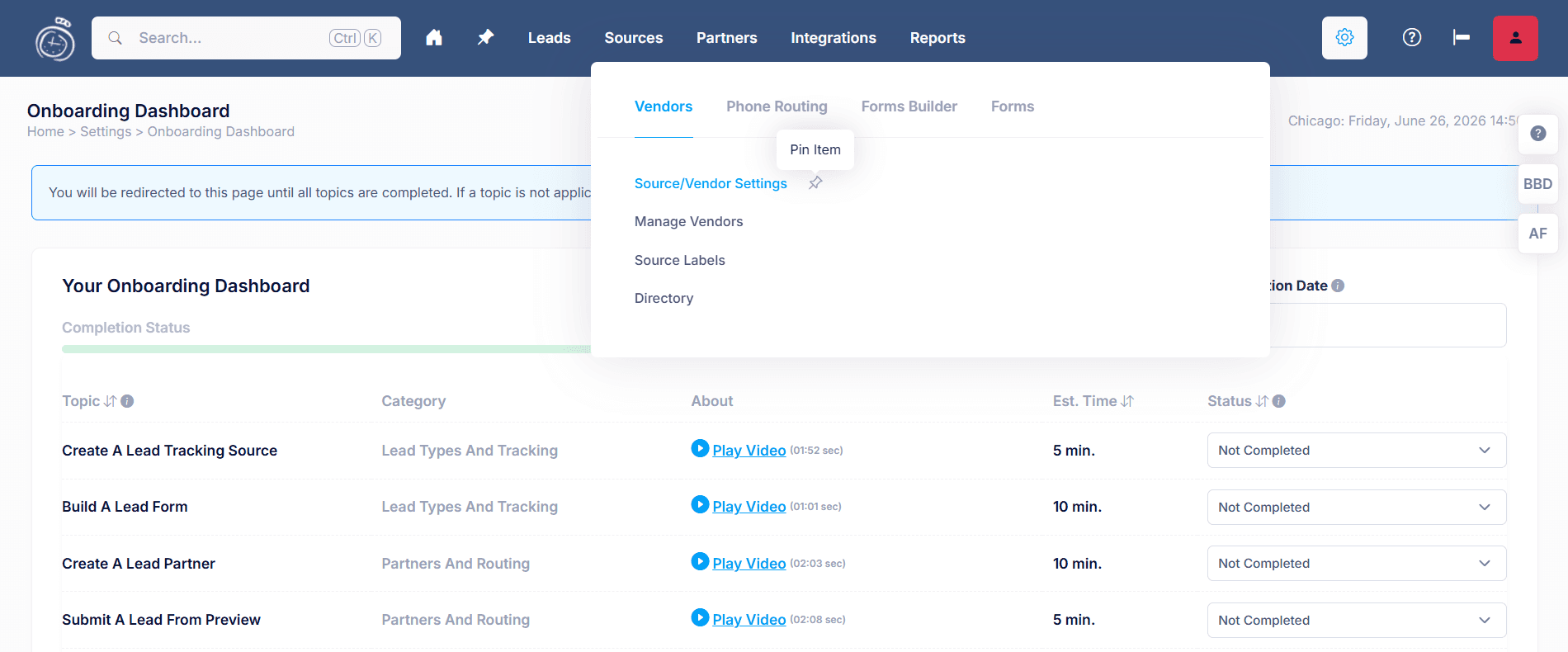
You can create a pin list of frequently needed pages in your system by clicking the "Pin" next to the menu item, as shown below. The page will appear in the Pin Menu for quick and easy access.
You can then open up the pin menu by hovering over the thumbtack icon on the navigation bar.