
Compliance and Security
What Does The Compliance Tab Do?
The Compliance Tab is a more recent addition to the boberdoo system and provides everything you need to keep your data secure in one easy-to-use place. From this tab you can manage data retention policies, search and delete leads, maintain block lists, and configure security settings to ensure your lead business stays compliant with industry regulations. For more details, visit the compliance support page.
What If My Partner Wants Their Leads Exported?
All questions and information regarding Lead Search or Amazon AWS S3 have been moved to our Amazon AWS S3 Page.
What Is boberdoo's Data Retention Policy?
Automatic PII Clearing
boberdoo automatically manages sensitive data retention to help keep your system compliant. You can view the classification of each field in your system from the Compliance tab. PII fields such as name, address, email, phone, and IP address are cleared at 30 days by default. Sensitive data including health information, financial data, account numbers, and date of birth is cleared at 7 days. After clearing, hashed values of email and phone are retained so leads can still be searched and matched without exposing raw PII. For more details, visit the Secure Data Retention page.
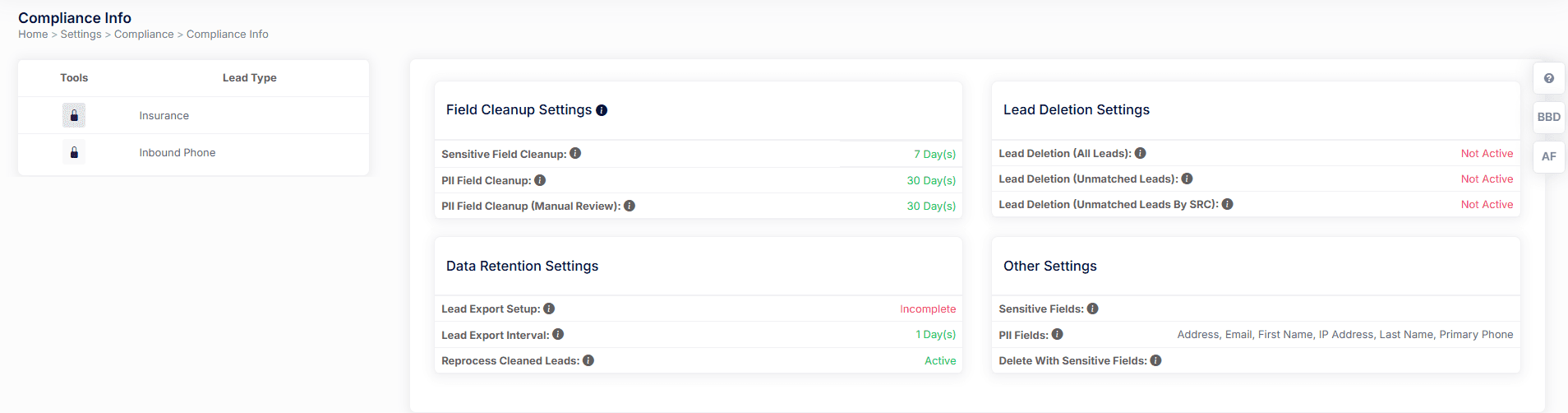
Retention Defaults
- PII (name, address, email, phone, IP) cleared at 30 days
- Sensitive data (health, financial, DOB) cleared at 7 days
- Hashed email and phone storage retained for matching
- Configurable retention periods per your requirements
What Is Lead Search And Delete?
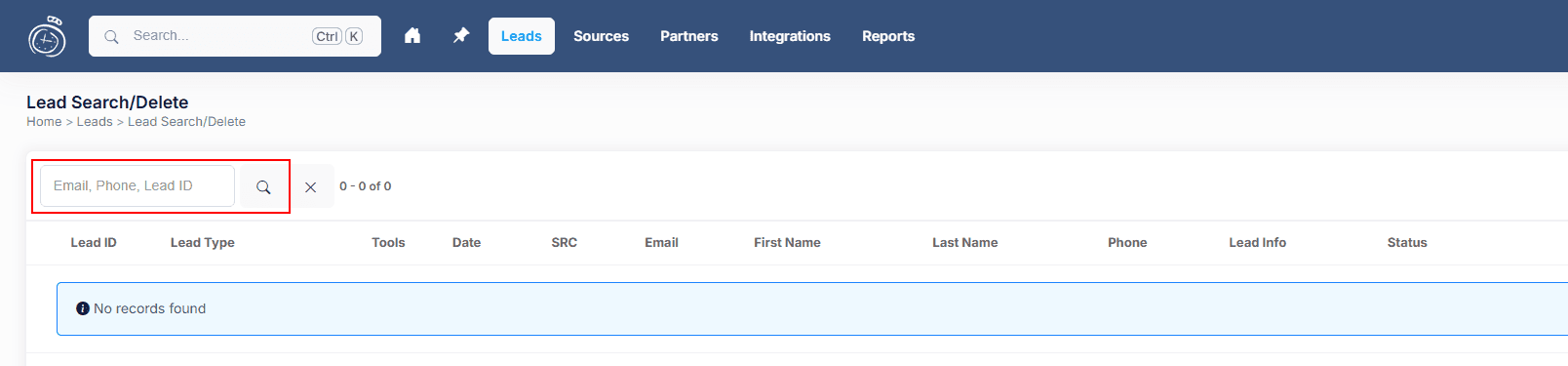
The Lead Search and Delete feature allows you to search for individual leads by email or phone number and securely remove their sensitive data from the system. To use it, select Lead Search/Delete from the Compliance menu, search by email or phone, select the leads you want to clean, and click Start Clean. You will then enter your password to access Secure Mode, and the sensitive data on those leads will become encrypted and invisible outside of Secure Mode. This is essential for handling consumer data deletion requests and maintaining compliance with privacy regulations.
- Search by email or phone number
- Select leads and click Start Clean to remove sensitive data
- Secure Mode access required — enter your password to proceed
- Cleaned data becomes encrypted and invisible outside Secure Mode
How Do I Block An Email/Phone Number From The Lead System?
Block List Management
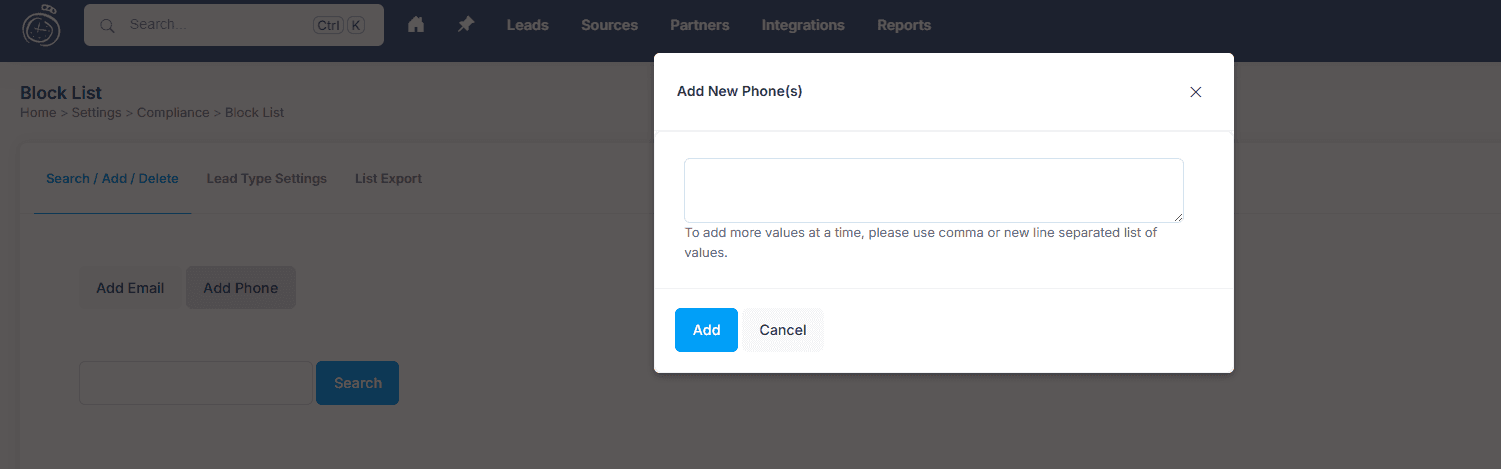
The Block List feature prevents specific emails and phone numbers from entering your lead distribution pipeline. To add entries, select Block List from the Compliance menu and enter the emails or phone numbers you want to block. You can add multiple entries at once by separating them with commas or line breaks. You can also search existing blocks to see when they were added and by which user. Blocked contacts are automatically rejected at the point of entry, saving you time and money on bad leads.
What Is The Difference Between Lead Logs And Secure Mode Logs?
Log Tracking
Secure Mode Logs provide an additional layer of security by tracking who accesses sensitive lead data and when. Unlike standard lead logs which track distribution and delivery events, Secure Mode Logs specifically monitor privileged user activity, recording the date, lead type, lead ID, IP address, username, and action taken. To access Secure Mode Logs, select Secure Mode Logs from the Compliance menu. You can search by username to review activity for a specific user.
Additional Security Questions
What Is 2FA?
To ensure that logins are secure, boberdoo now has Two Factor Authentication (2FA). When enabled, users must verify their identity through a second method in addition to their password. boberdoo supports three verification options: email, SMS, or authenticator apps such as Google Authenticator and Microsoft Authenticator. You can configure 2FA settings from the Settings tab under 2FA Settings. All admin users can be required to use 2FA for an additional layer of login security. For more information, visit the 2FA login security page.
How Do You Create An API Key?
In the boberdoo system, API keys are decoupled from users. This allows APIs to be used for their intended use case instead of being tied to a specific user account. This means that if a user account is compromised, your API integrations remain secure. For more details on creating and managing API keys, visit the API keys page.
Lead Field Security
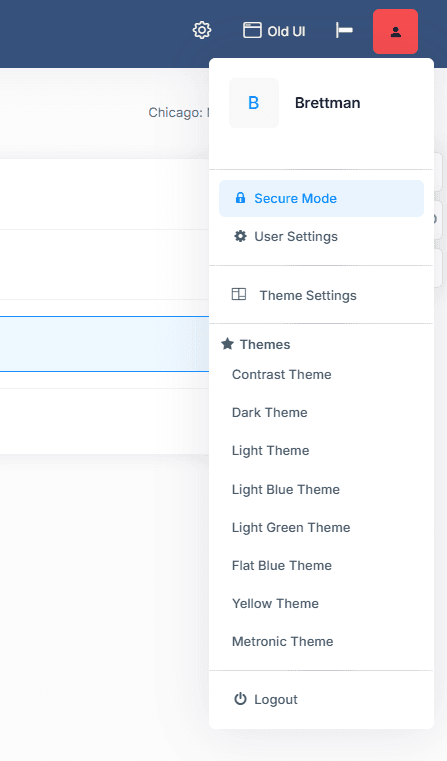
Not all lead fields carry the same level of sensitivity. PII fields have a maximum retention of 30 days, while sensitive fields are cleared at 7 days. Sensitive fields can also be encrypted for an added layer of protection. When Secure Mode is activated from the user dropdown, sensitive lead data is hidden by default and only accessible to authorized users with the proper permissions. For more information on configuring field-level security, visit the lead field security page.
What If My Partner Wants Their Leads Exported?
Partners can export their leads directly from the My Leads tab within their account. Keep in mind that sensitive fields are cleared at 7 days and PII fields at 30 days per consumer data best practices. For recurring export needs, we recommend setting up a Lead Details Report By Transaction Date to automate delivery on a schedule, minimizing manual data handling.
Learn More About boberdoo Security
Our comprehensive security features help you stay compliant while running your lead business efficiently.