
Buying Ping Post Leads
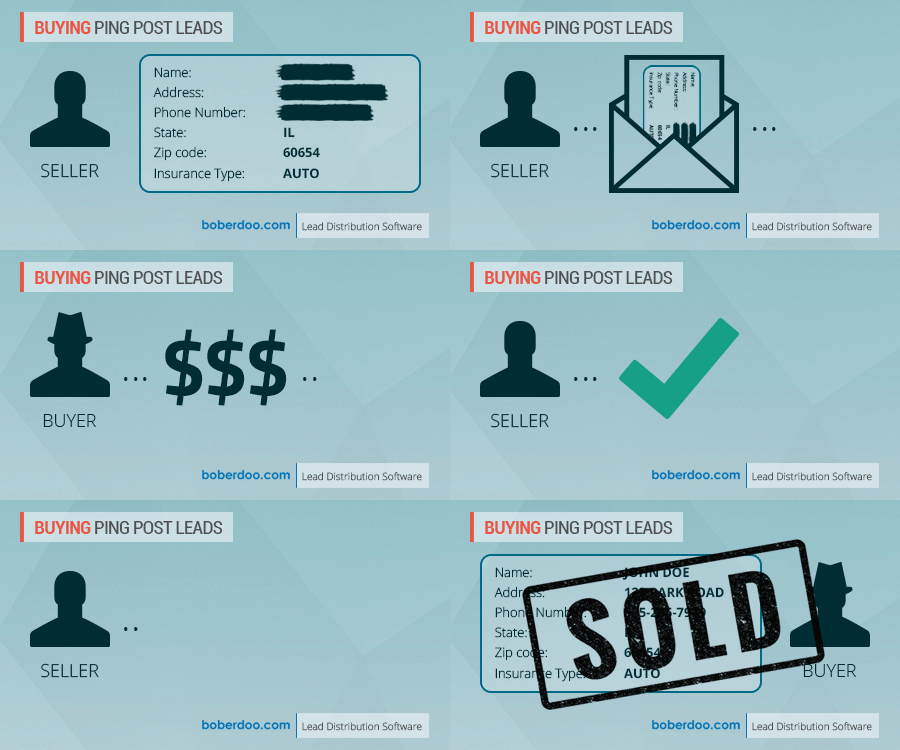
Buying ping post leads can be easily configured in your boberdoo.com system. Here is what to do to get started.
Getting Started
1. Find
Find vendors/lead sellers that are willing to sell leads to you on a ping post basis.
2. Discuss
Discuss with vendor how you want to handle the pricing of leads. You have the option of paying the vendor either static pricing or dynamic pricing.
3. Provide
Provide the vendor with the necessary information.
4. Process
Have the vendor submit a test lead and capture the response.
What is the Difference Between Static and Dynamic Pricing?
Static Pricing
This means you will pay the vendor the same price every time you buy a lead from them. The vendor will ping you the partial lead information. If you have a buyer eligible to accept that lead, you will return back a response to the vendor saying you will accept it. The vendor then will post the full lead in. If the buyer accepts it on the post, then the system will mark that lead as sold, and the Cost will be the static price you agreed upon.
Dynamic Pricing
This means the price you pay the vendor for a lead can be different for every lead. The vendor will ping you the partial lead information. If you have a buyer eligible to accept that lead, you will return back a response to the vendor saying you will accept it, and also include the price you are offering to pay for that lead. If the vendor accepts that price offer, they will then post the full lead in. If the buyer accepts it on the post, then the system will mark that lead as sold, and the Cost will be whatever that price offer was that was returned in the ping response.
Information Needed for the Vendor
Buying ping post leads through the boberdoo.com lead distribution system is a fairly painless process, just provide the vendor with the details below:
KEY
This value identifies the unique vendor that submitted the lead. It can be found under Settings > Manage Vendors.
Posting Specifications
These are the specific instructions for getting a lead into the system and is dependent on the method being used. For buying ping post leads, go to Settings > API Specs > pingPostLead > click the lead type name.
SRC
This value refers to the Source, which is a variable that identifies the incoming lead and also tells the system what actions to take on the lead. If they are on dynamic pricing, then they will have to submit this on the PING only: Return_Best_Price=1. This will return back the best price offer to them, so they can decide if they want to sell the lead for that much or not.
Sample Ping Post Instructions URL
Vendors can submit leads via HTTP Post, HTTP Get, or XML. (Their choice) Posting URL for HTTP Post or HTTP Get= '/api.php' Posting URL for XML= '/XMLapi.php'.
Ready To Get Started?
Fill out the form below to schedule a demo with one of our lead distribution experts.